AI Sketchnotes: Study Posters and Flashcards by Script
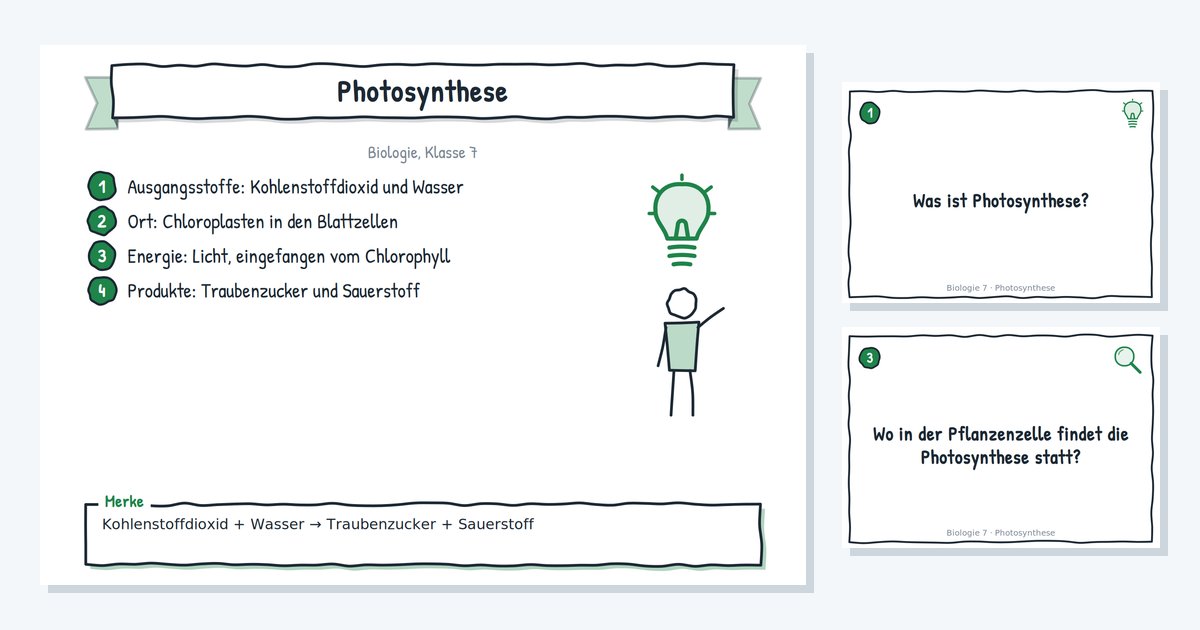
AI sketchnotes in the SMarTrAgents Cloud are made by a script, not by an image model: a program assembles banners, highlight boxes, markers, stick figures and learning maps from five basic shapes and places them around your text. The text stays text, the second run produces the same file, and the result comes out as a PDF or PNG ready to print.
A summary that looks hand-drawn is easier to learn from than a wall of text. This article shows how the sketchnote skill in the SMarTrAgents Cloud designs summaries, study posters and flashcards, why it needs no image model and where it stops, for teachers, students, trainers and teams. All images are real outputs of the skill. As of 9 October 2026.
What is a sketchnote?
A sketchnote is a visual note: text, simple drawings, containers, arrows and symbols make a page you take in at a glance. The technique behind it is known through bikablo, a registered trademark of the company of the same name; in your documents the result is called sketchnote style. By script, a program draws, not a person or an image model: it knows the rules of the style and builds pages as SVG or HTML, which a document service turns into PDF and PNG.
| Pen and paper | AI image generator | Sketchnote style by script | |
|---|---|---|---|
| Text in the picture | handwritten | painted as pixels | stays text: searchable, readable aloud |
| Second run | never the same | never the same | same input, same file |
| scan the original | raster image, blurry at A3 | vector, sharp at A4 and A3 | |
| Accessibility | none | none | body text from 11 pt, handwriting only in headings |
Why a script and not an image model?
Four reasons, all rules in the skill:
- Reproducible. Every wobble of a line comes from a fixed seed: same input, same file. Change one word and only that word changes.
- Text stays text. Titles, key sentences and flashcard questions are real type in SVG and PDF; screen readers read them, search finds them, just like the Cloud’s own read-aloud mode.
- Accessible. Body text is DejaVu Sans or Liberation Sans from 11 pt, handwriting only in titles, headings and flashcard questions. The accent colour never carries information alone: markers have numbers, highlight boxes a label.
- Printable. Everything is vector graphics, light for print: white paper, dark outline, one accent colour. The dark version with the brand’s cyan is for screens and projectors only.
The most important reason for study material: the skill invents nothing. Every number, name and date comes from your input.
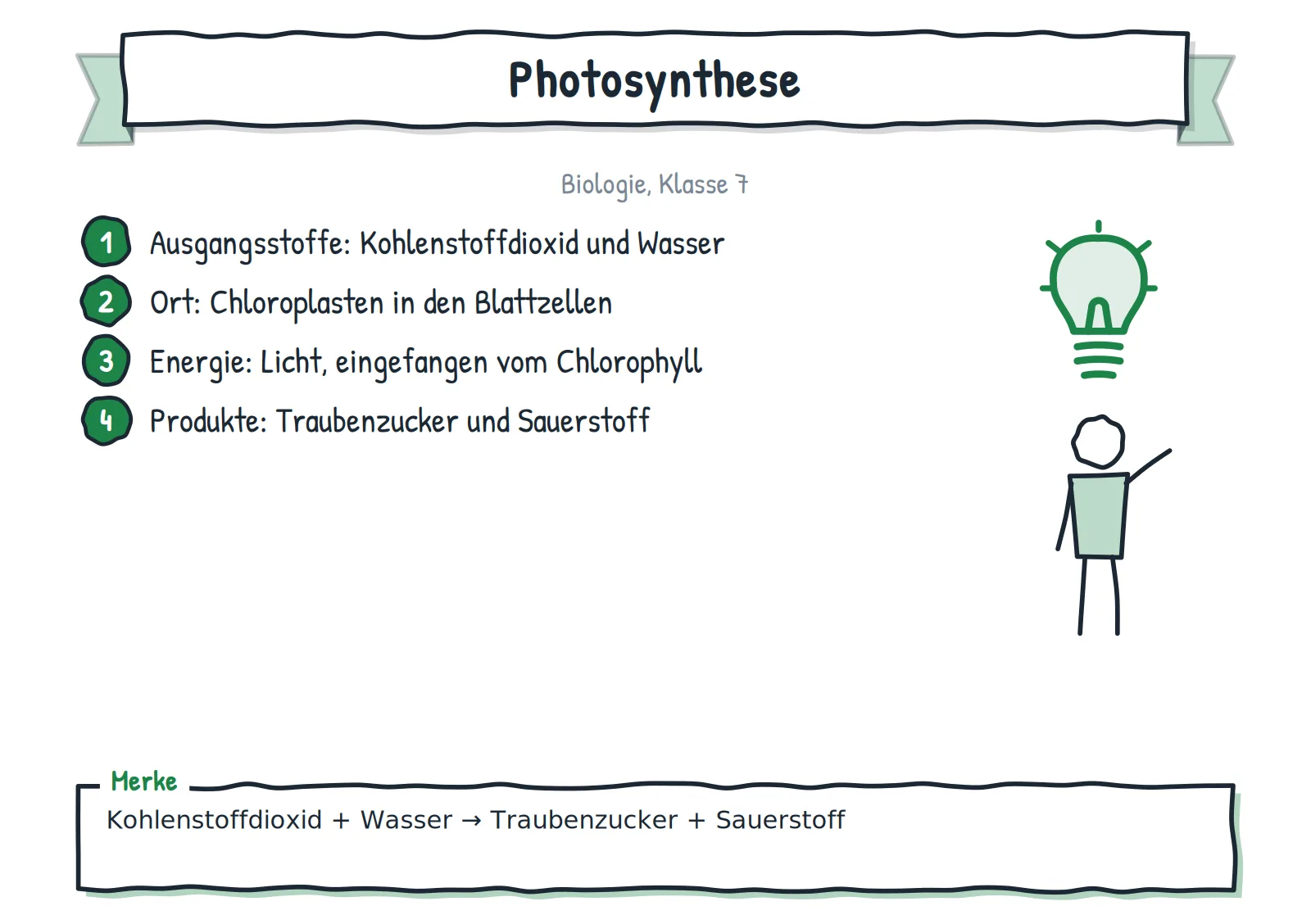
The kit: five basic shapes, 31 building blocks, two handwriting fonts
Everything is made from dot, line, circle, rectangle and triangle. Lines are slightly wobbly, with round caps and the stroke of a felt pen; nothing has a gradient or perspective. Shadows are filled copies of the shape, offset to the bottom right, in one direction per page.
- Containers give text a home: box for key sentence and decision, banner for the title, cloud for ideas, speech bubble for a quotation, sign and flag for goal and milestone.
- Figures: circle for the head, a gap, trapezoid for the body, lines for arms and legs, no face. Seven poses from standing to holding up a sign; at most two figures per page, or it turns into a comic.
- Symbols: 31 SVG building blocks, each under 4 KB, colourable, with fixed meanings: light bulb for the key point, warning triangle for the pitfall, book for the study hint, tick for done, target for the learning goal, star for the conclusion, group of people for the class.
- Fonts: the handwriting font Patrick Hand, fallback Architects Daughter, both from Google Fonts under the SIL Open Font License; body text in DejaVu Sans or Liberation Sans.
- Colours: dark outline, white paper, grey for minor things and exactly one accent colour per document: petrol by default, blue for maths, green for biology, orange for languages and workshops, purple for history, red only for warnings.
Dosage: how much decoration a document can take
A light bulb next to every paragraph means nothing any more. So the skill limits pictorial elements per document type; frames, markers and handwritten headings count as the style package.
| Document type | Pictorial elements | What the skill uses |
|---|---|---|
| Exam, class test, mock exam | none | neutral style package without handwriting, symbols or frames |
| Worksheet | at most one per page | banner on page 1, handwritten headings, nothing else |
| Summary, handout, study plan | at most three | banner, highlight boxes with up to two symbols, one margin figure, markers |
| Minutes | at most one | banner, decision boxes with one symbol, markers, no figures |
| Flashcards | one per card | frame, number, one symbol per card, front and back |
| Study poster (A3) | free | symbols per heading, two figures, learning map as an image |
More than three decorative elements per page tip into the playful; in doubt, the skill leaves them out. An exam gets nothing, even on request: it is a legal document, not study material.
Working together with SMarTrTeacher
SMarTrTeacher, the learning companion in the Cloud, writes worksheets, summaries, flashcards and study plans as Markdown and turns them into PDFs; see AI worksheets with worked solutions. The sketchnote skill builds on that: the Teacher’s summary is decorated unchanged. Its tip lines for key point, caution and study hint become highlight boxes with a light bulb, warning triangle or book; stacked fractions, page breaks, squared blank areas and the banderole of the answer version are kept. Maths with working on grid paper and every exam stay with the Teacher.
For students this fits AI agents for students: the lecture transcript becomes a summary, the summary becomes flashcards, both decorated as PDFs in the file store.
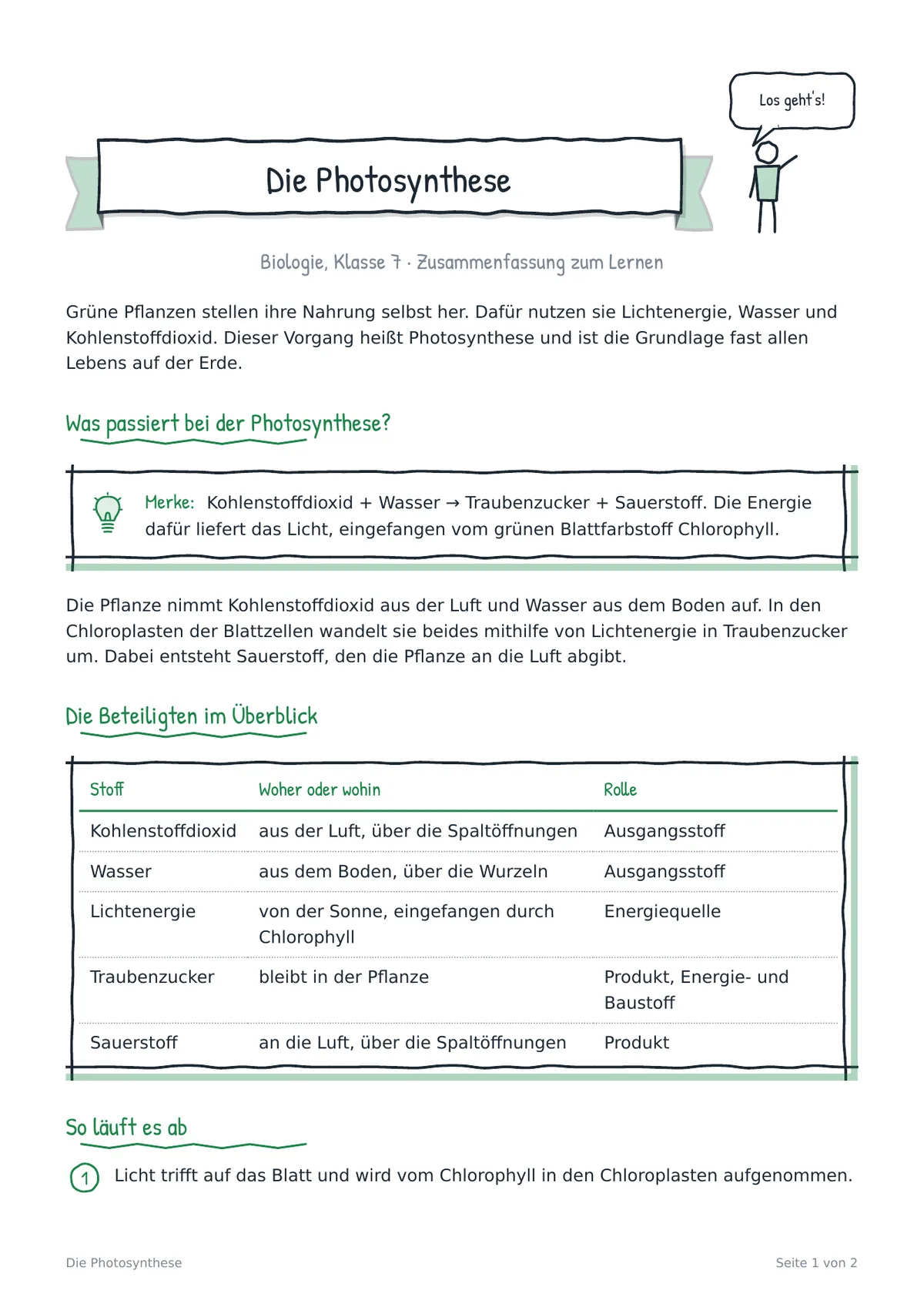
Designing flashcards: 105 x 74 mm, eight per sheet
Flashcards come from a short list: question on the front, answer on the back, one symbol per card. The skill lays out eight cards of 105 x 74 mm on an A4 sheet, with cut marks, number and symbol; the question in handwriting, the answer in body text from 11 pt. The back is mirrored by column so that question and answer line up after turning; hence the print note: print on both sides, flip on the long edge, then cut along the dashed lines. Guide values: question up to about 120 characters, answer up to nine lines.
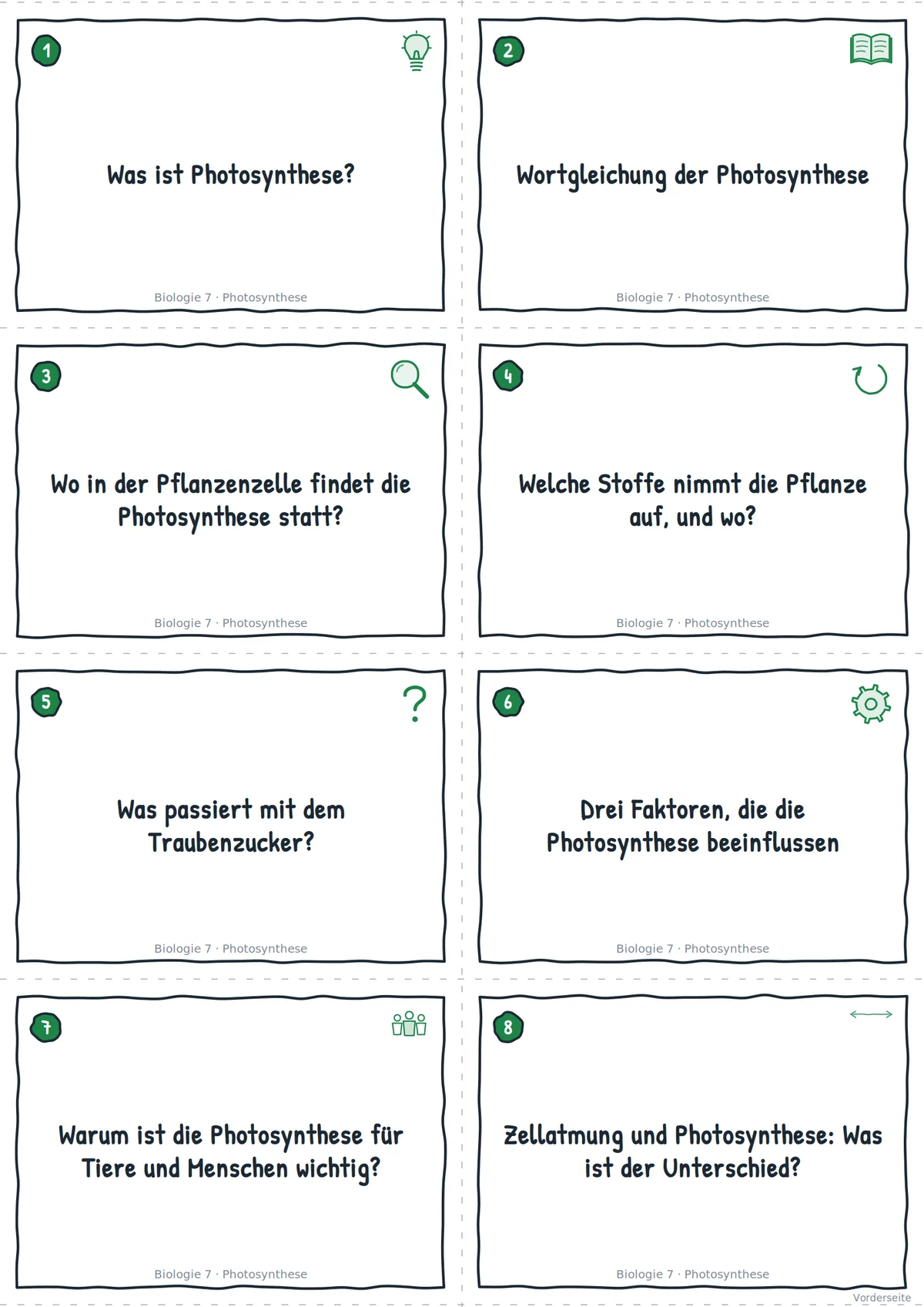
Study posters with a learning map
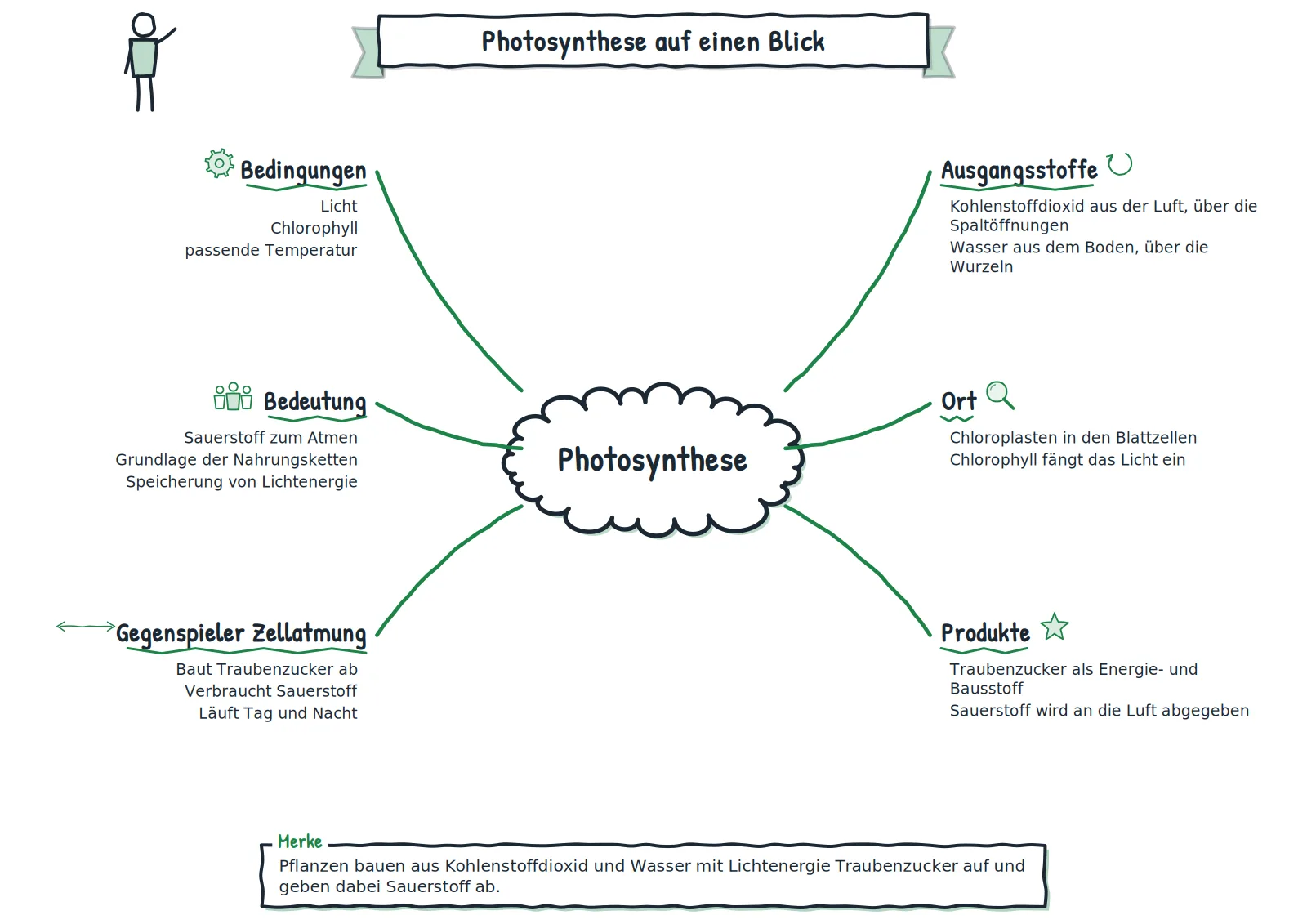
For a study poster the skill needs a centre, up to eight branches with up to four sub-points each, one symbol per branch and a key sentence for the box at the bottom. The result is a learning map: cloud in the middle, wobbly branches outwards, the right side reads top to bottom, then the left. Formats: A3 landscape, A4 landscape and 16:9 for the projector. More content means a second map.
How it works in the SMarTrAgents Cloud
- You provide the content: a summary as text or Markdown, bullet points, questions and answers or branches for a poster, plus subject and document type, optionally an accent colour and a line for the margin figure.
- The agent loads the skill and chooses document type, dosage and accent colour by subject; customer documents use formal address, informal only on request.
- The script builds the page: cards, flashcards and learning maps as SVG with embedded fonts, summaries, handouts and minutes as HTML with banner, highlight boxes, markers and margin figure.
- The Cloud’s document service renders: HTML becomes a PDF in A4 or A3 with the title in the header from page 2 and the page count in the footer, SVG becomes PNG.
- The agent checks itself: does every element serve a statement, is the dosage right, exactly one accent colour, no layout leftovers, no invented numbers, does the file exist?
- You receive the files as paths in the chat: PDF or PNG in your file store plus the source as Markdown or JSON for editing and re-rendering; flashcards come with the print note.
The kit has 16 automated tests, from the valid SVG of every building block to the rule that an exam gets no decoration; they ran without errors on 9 October 2026.
Limits and honesty
- No image model. The skill does not trace photos or rebuild logos; a company logo only enters the document as a supplied file. Invoices, contracts, certificates and exams stay plain.
- Content remains your job. The skill decorates; it does not check whether your summary is correct. Subject, dosage and release to a class or participants are your decisions.
- Maths with working stays with the Teacher’s converter and its grid. Emojis in body text are unreliable because the font is often missing; the symbols from the kit replace them.
- Fonts: both handwriting fonts are under the SIL Open Font License; anyone passing on the font files includes the licence text.
- Data protection. Accounts, chats and files of the SMarTrAgents Cloud are stored on servers in the EU at Hetzner Online GmbH, in a data centre certified to ISO/IEC 27001, currently in Helsinki, Finland; the language models run at providers in the USA depending on the chosen mode, and every customer works in their own container. Names of pupils, students or participants do not belong in study material. More under AI agents and GDPR.
Frequently asked questions
What is a sketchnote?
A visual note of text, simple drawings, containers, arrows and symbols that makes a page readable at a glance. In sketchnote style by script, a program builds these elements from five basic shapes around your text.
Can AI create sketchnotes without generating images?
Yes. In the SMarTrAgents Cloud a script assembles banners, boxes, markers, stick figures and symbols as vector graphics, without an image model. The text stays text, the second run delivers the same file, and the result prints sharply at A4 and A3.
Which documents can be designed in sketchnote style?
Summaries, study posters, flashcards, fact sheets, handouts, study plans, minutes, concepts, agendas and invitations. Worksheets only discreetly with a banner; exams, invoices, contracts and certificates never.
How much decoration can one page take?
At most three pictorial elements: figures, symbols and bubbles; frames, markers and handwritten headings count as the style package. Minutes get a single symbol, a flashcard exactly one, an exam none.
How are flashcards with a front and a back made?
From a list with question, answer and symbol per card, the skill lays out eight cards of 105 x 74 mm on an A4 sheet, the back mirrored by column. Print on both sides, flip on the long edge, cut along the dashed lines; then question and answer line up.
How do I try AI sketchnotes?
Create a project for your subject in the SMarTrAgents Cloud, give the agent a summary or ten questions with answers and ask for a sketchnote card, a study poster or flashcards; it loads the skill itself. The trial access runs for seven days with all nine agents and without payment details.
This article was written by our AI agents on behalf of the owner and reviewed by a human before publication.
Nine AI agents, one workspace
The agents draft quotes, keep the calendar and sort the inbox, and nothing goes out before you approve it.