AI Agents for Students: Let an Agent Take Lecture Notes
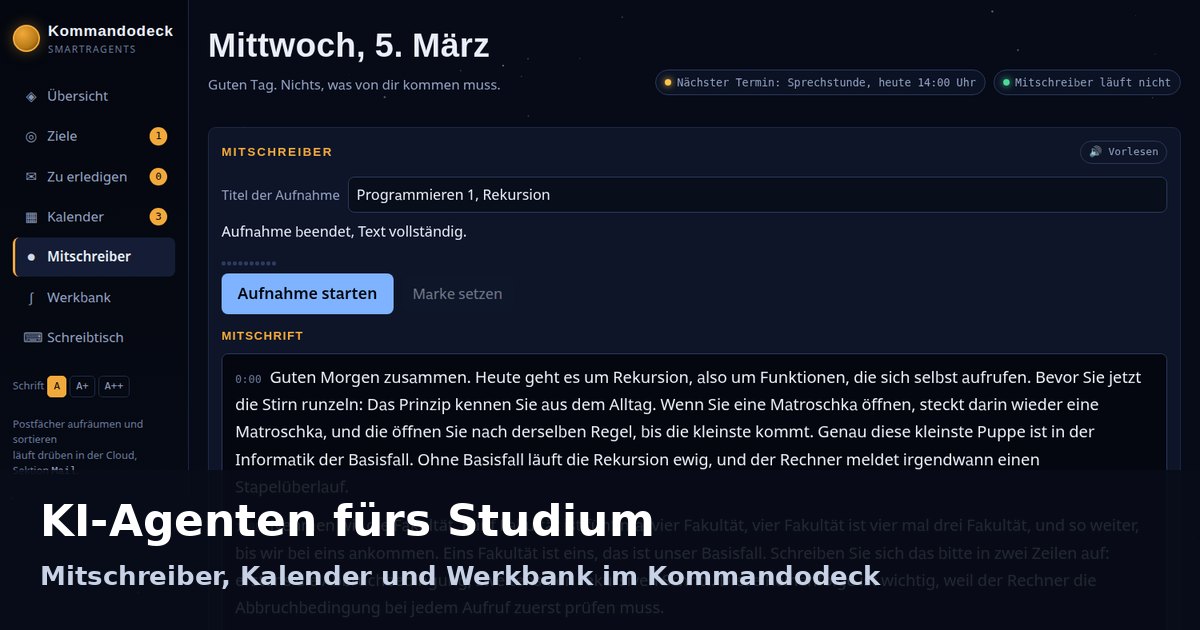
AI agents for students take notes in the lecture, keep the exam deadline in your calendar and explain the working instead of just doing the calculation for you. In the SMarTrAgents Cloud this workspace, the Kommandodeck, the command deck, comes with every account; the trial access runs for seven days without payment details.
For many, AI in university has so far meant this: type a question, read an answer, and next time everything starts from scratch. AI agents for students work differently: an agent knows your subject, keeps your calendar, takes notes in the lecture and accompanies you as you work towards understanding. This article is written for students in Germany, Austria and Switzerland as well as for professionals who want their meetings transcribed. As of 3 October 2026.
What an AI agent for students is
An AI agent for students is an AI program with its own memory that works for you in its own container, keeps your subjects as projects with chats and files, and uses tools such as calendar, mailbox and file storage on its own. A chatbot answers the question within the current conversation; an agent keeps the thread across sessions and works through tasks step by step. If you are looking for an AI study assistant or an AI learning assistant, this is exactly what is meant.
The basics are covered in What are AI agents and AI agents and ChatGPT; how the memory works is explained in The memory of the agents.
| Chatbot | AI agent in the SMarTrAgents Cloud | |
|---|---|---|
| Memory | the current conversation | kept across sessions |
| Projects per subject | one conversation history | one project per subject with chats and files |
| Calendar | appointments as text in the answer | calendar in your account, exam deadlines as goals in the Kommandodeck |
| Mitschreiber, the note taker | text to paste | recording in the browser, text usually ten seconds after the spoken word |
| Place of work | the chat window | a separate container per account |
In the SMarTrAgents Cloud, in the browser at cloud.smartragents.ai, nine specialist agents work in a separate container for each customer; for your studies you create one project per subject, such as Mathematics or Programming 1. The Kommandodeck, your workspace in the browser at deck.smartragents.ai, comes with every account at no extra cost, as do SMarTrPlan for projects, SMarTrPost as an editorial calendar, dictation and reading aloud.
A day of study with agents: overview, goals, calendar
In the morning, the Kommandodeck tells you where things stand: a greeting with the date, a status line such as “Nothing that needs to come from you”, a chip with your next appointment and a chip that shows whether the Mitschreiber is running. The sections in the left bar: Overview, Goals, To do, Calendar, Mitschreiber, Werkbank, the workbench, and Schreibtisch, the desk. Niemand, the companion in the deck, sees your deck and takes orders in the text field “Tell Niemand what to do” (Sag Niemand, was zu tun ist).
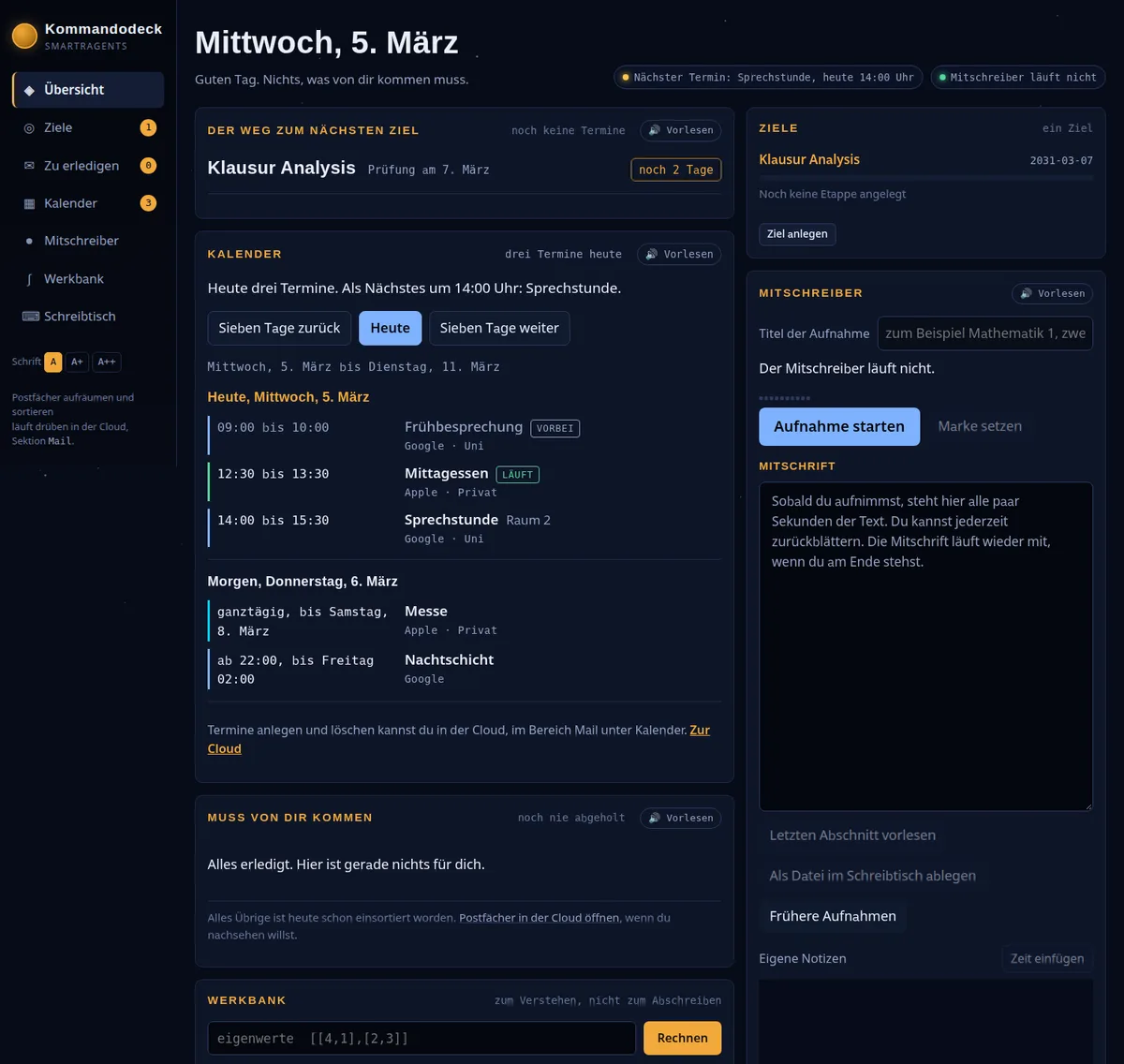
Goals show the way to your next goal, for example “Analysis exam, exam on 7 March, 2 days left”. A goal has stages, and its deadline appears in the calendar automatically.
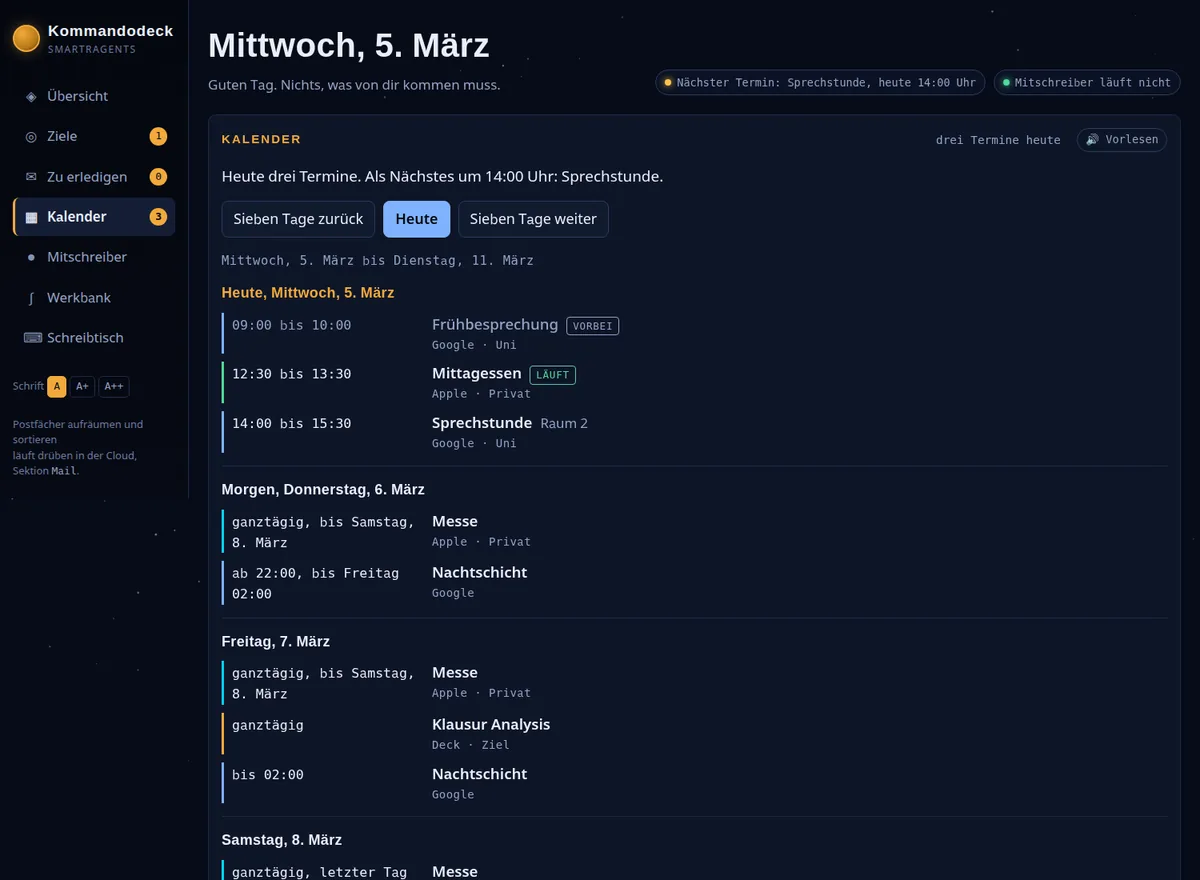
Calendar has shown, since 2 October 2026, seven days from today, ordered by day, with time, title, location and source: your Google Calendar and the deadlines of your goals. The view is read only; you create and delete appointments in the cloud. Built in by design: the deck does not give the all clear as long as something is missing; if a calendar does not respond, there is no “Today is free”.
To do collects under “Must come from you” everything that needs an answer or a decision; nothing is sent until you approve it. More on this in Calendar and mailbox for all plans.
Let an agent take your lecture notes: how the Mitschreiber works
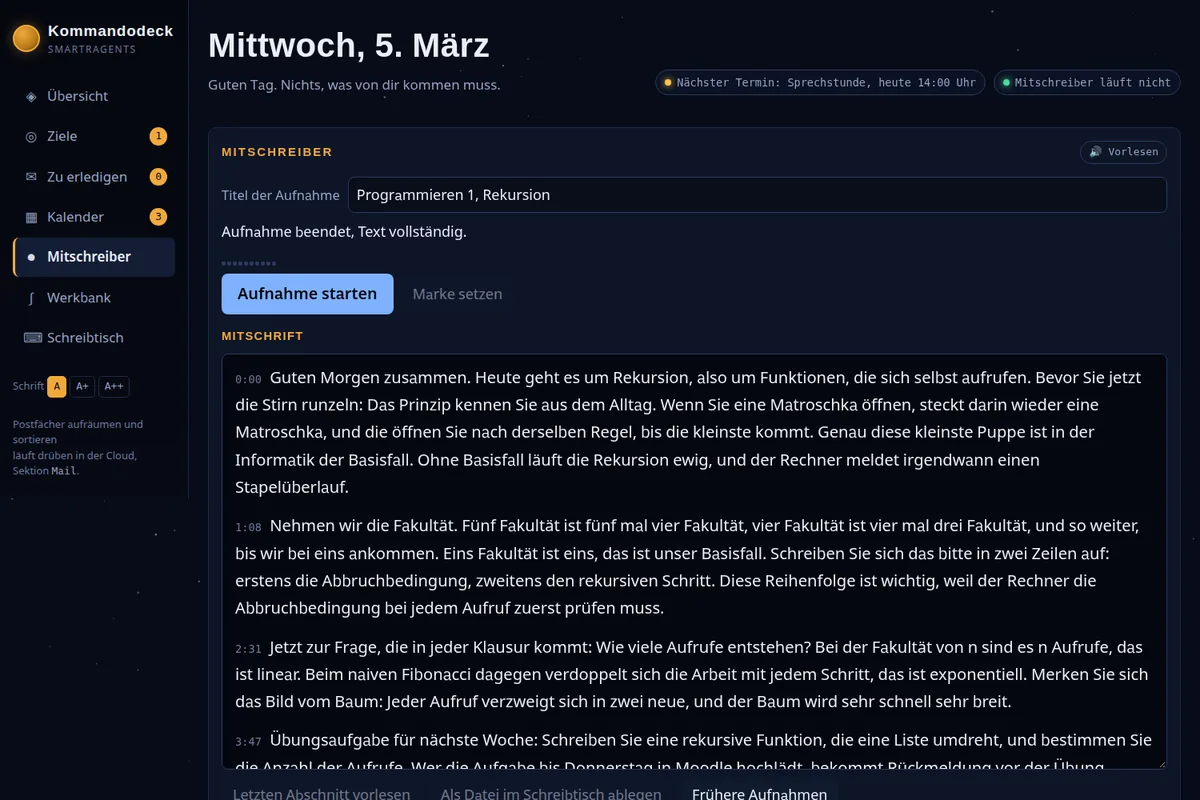
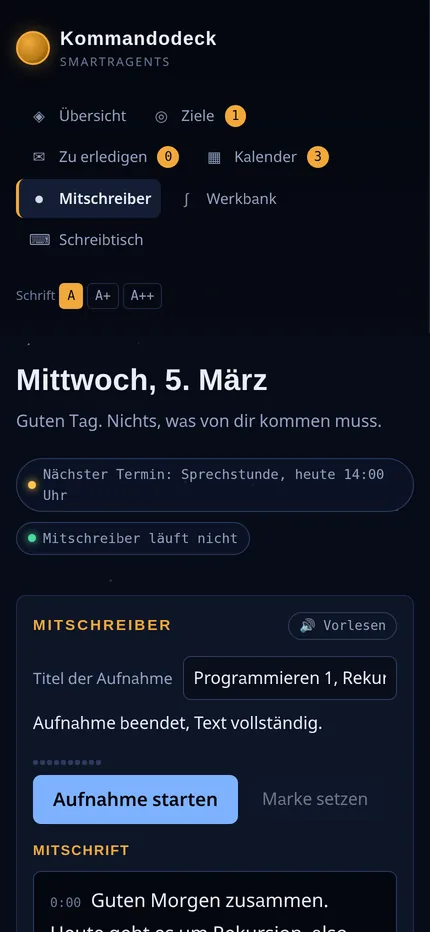
The Mitschreiber records the lecture through the microphone in the browser and transcribes it while listening; the text usually appears ten seconds after the spoken word. Cuts are made at the first pause in speech after seven seconds, at the latest after fourteen, and every saved segment is transcribed immediately. The transcript scrolls along as long as you stay at the end, and carries a time stamp for every paragraph. The first real use was on 2 October 2026: a Programming 1 lecture of an hour and a half, and the text arrived in full.
How to have a lecture transcribed:
- In the Kommandodeck, open the Mitschreiber section and give the recording a title, such as “Programming 1, recursion”.
- Press “Start recording” (Aufnahme starten); the first paragraphs usually appear ten seconds later.
- Press “Set marker” (Marke setzen) as soon as something important is said, such as a hint about the exam.
- Write your own notes next to the transcript; the “Insert time” (Zeit einfügen) button puts the current time into the note.
- At the end, file the recording with “Save as file on the desk” (Als Datei im Schreibtisch ablegen): transcript, markers and notes are stored as a file under “mitschriften”.
If you want to transcribe lectures, you will find them afterwards under “Earlier recordings” (Frühere Aufnahmen) with date, length and the status of the text. Speech recognition runs through Deepgram and understands nine languages: German, English, Spanish, French, Italian, Dutch, Polish, Portuguese and Turkish.
The Mitschreiber is prepared for disruptions in the lecture hall:
- Network gone: the recording continues, the segments stay on the device and are sent out automatically as soon as the network is back.
- Login expired: the recording continues.
- Window crashed: at most the last three seconds are lost, the rest is sent afterwards.
- No credit left: the audio is still saved, and the text comes after topping up via “Catch up on transcript” (Abschrift nachholen).
- Recording forgotten: after twelve hours it is ended in an orderly way.
What a lecture costs
A transcript costs 6,000 tokens per minute of audio, as of 3 October 2026; a 90-minute lecture therefore costs around 540,000 tokens. The minimum charge is 50 tokens per segment, and silent segments cost nothing. In the Cloud Starter with 5 million tokens per month, that is enough for nine such lectures on paper, if nothing else is used; in the Cloud Professional with 10 million tokens, for eighteen.
| Cloud Starter | Cloud Professional | |
|---|---|---|
| Price per month | €25.99 | €36.99 |
| Tokens per month | 5 million | 10 million |
| 90-minute lectures, on paper | nine | eighteen |
Both plans include all nine agents, plus Kommandodeck, SMarTrPlan, SMarTrPost, dictation and reading aloud at no extra cost. If you attend more lectures, you can add token packs: 1 million tokens for €5.99, 5 million for €19.99, 25 million for €39.99. All prices are final prices; under the small business regulation (Kleinunternehmerregelung), no VAT is shown. The overview is on the pricing page.
Am I allowed to record a lecture
Ask the lecturer for permission before the first recording and use the transcript only for yourself. Whether and how recordings in the lecture hall are permitted is decided by each university and each lecturer. The transcript is stored in your account and is meant for your own learning, not for passing on.
Understanding instead of copying: the Werkbank with Professor Niemand
The Werkbank is the section in the Kommandodeck for understanding, not for copying: you enter a task, such as “eigenwerte [[4,1],[2,3]]” (eigenvalues), and then the way to the result is shown. Professor Niemand has three buttons: “Explain” (Erklären), “Check” (Prüfen) and “Work it out” (Vorrechnen). Check means he asks a question, you answer, and only then does he continue calculating; once the answer is solid, he ticks off the learning goal. You give answers as text, or you hold down the space bar and speak.
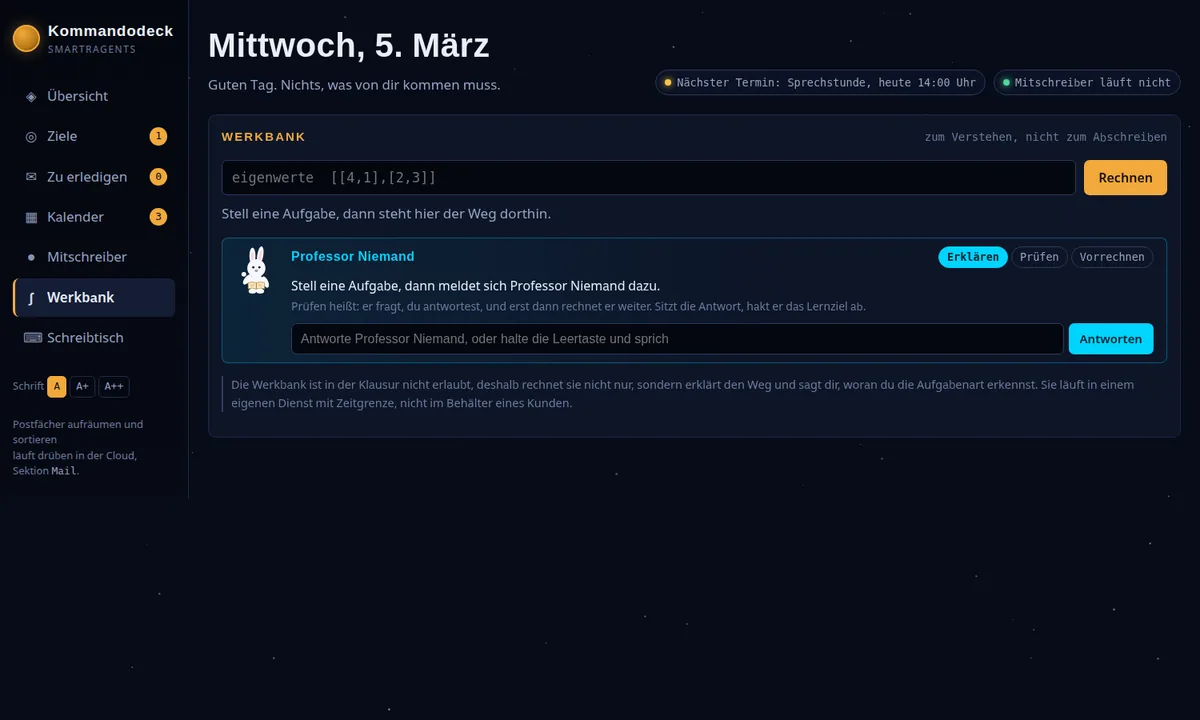
In the exam, the Werkbank is not allowed. That is why it does not just calculate but explains the way and tells you how to identify the type of task. The Werkbank runs in a separate service with a time limit, not in a customer’s container. The Schreibtisch next to it opens, runs and saves your files; Python and JavaScript run in the browser with a time limit, and none of it goes to a server.
Exam preparation with SMarTrTeacher
SMarTrTeacher is a skill, a fixed set of working instructions that your agents in the cloud load as soon as the task is about learning; it delivers worksheets, mock exams, summaries, flashcards and study plans as PDFs. It writes mathematics the way you work it out in an exercise book: fractions stacked, the working on grid paper, every step explained, a check at the end. What such a sheet looks like is shown in AI worksheets with worked solutions.
Exam preparation with AI then looks like this: you give the agent in the Mathematics project the material, for example the text of your lecture notes, and ask for flashcards on the topic of eigenvalues. Then you have a mock exam created and work through it on paper. SMarTrPlan, the project management in every cloud account, holds larger undertakings such as a term paper together: AI project management.
Reading aloud and font sizes: operating by ear
Every panel in the Kommandodeck has a “Read aloud” (Vorlesen) button, and the font can be enlarged in three steps: A, A+ and A++. The deck is built for operation by ear, with speech output and a spoken status; on request, the Mitschreiber reads out the last section, and during a recording the calendar does not speak on its own. More on this in Read-aloud mode and accessibility.
Not only for your studies
The same Mitschreiber takes notes in meetings, customer conversations and talks. A marker captures the moment a decision is made; the notes with the inserted time make up the minutes, and the file on the Schreibtisch is the record. Which of the nine agents are suited to which task is covered in What SMarTrAgents can really do.
Also in the SMarTrAgents App
Kommandodeck and Mitschreiber are also available in the SMarTrAgents App for the iPhone; you sign in with your cloud account. The Mitschreiber at phone width shows the same transcript with a time stamp for every paragraph.
Data protection, honestly
Accounts, chats and files of the SMarTrAgents Cloud are stored on servers in the EU at Hetzner Online GmbH, in a data centre certified to ISO/IEC 27001, currently in Helsinki, Finland; depending on the mode you choose, the language models run at providers in the USA, and speech recognition for dictation and in the Mitschreiber runs through Deepgram. All subprocessors are listed in the privacy policy. Each customer works in a separate container. What this means for the GDPR is explained under AI agents and GDPR.
Frequently asked questions
What distinguishes an AI agent for students from a chatbot?
An AI agent has a memory beyond the single conversation, keeps your subjects as projects with chats and files, and works for you in a separate container, with tools such as calendar, mailbox and Mitschreiber. A chatbot answers the question within the current conversation.
How do I have a lecture transcribed?
In the Kommandodeck, open the Mitschreiber, give the recording a title and press “Start recording”. The text usually appears ten seconds after the spoken word, with a time stamp for every paragraph. With “Set marker” you capture important passages, and at the end you file everything with “Save as file on the desk”.
What does it cost to have a 90-minute lecture transcribed?
Around 540,000 tokens, because a transcript costs 6,000 tokens per minute of audio; silent segments cost nothing. In the Cloud Starter with 5 million tokens per month, that is enough for nine such lectures on paper, in the Cloud Professional with 10 million for eighteen.
Which languages does the Mitschreiber understand?
Nine languages: German, English, Spanish, French, Italian, Dutch, Polish, Portuguese and Turkish. Speech recognition runs through Deepgram, a technology partner named in the privacy policy.
What happens to the recording if the network fails?
The recording continues. The segments stay on the device and are sent out automatically as soon as the network is back. If the window crashes, at most the last three seconds are lost, the rest is sent afterwards; a forgotten recording is ended in an orderly way after twelve hours.
Is AI in university allowed?
Each university decides this itself, sometimes per course and per exam. Ask the lecturer for permission before a recording, and declare the use of AI in a term paper the way your university requires.
Does it also work on a phone?
Yes, Kommandodeck and Mitschreiber are also available in the SMarTrAgents App for the iPhone, with access through your cloud account. In the browser, you reach the Kommandodeck at deck.smartragents.ai and the cloud at cloud.smartragents.ai.
Studying with AI is best started with a real lecture and a real exam deadline. The trial access runs for seven days with one million tokens and all nine agents, without payment details: Create trial access.
On site in Augsburg: SMarTrAgents presents itself at the Funkenwerk Community Meetup of Technische Hochschule Augsburg. What you can see there and how the code THA works is on the page AI agents from Augsburg at THA Funkenwerk.
Human with machine beats both human and machine.
SMarTrAgents, nine AI agents in one shared workspace. Accounts and files are stored in the EU.
This post was created by our AI agents on behalf of the owner.
AI agent pricing
All plans, minute contingents and add-ons with final prices and a market comparison, on one page.